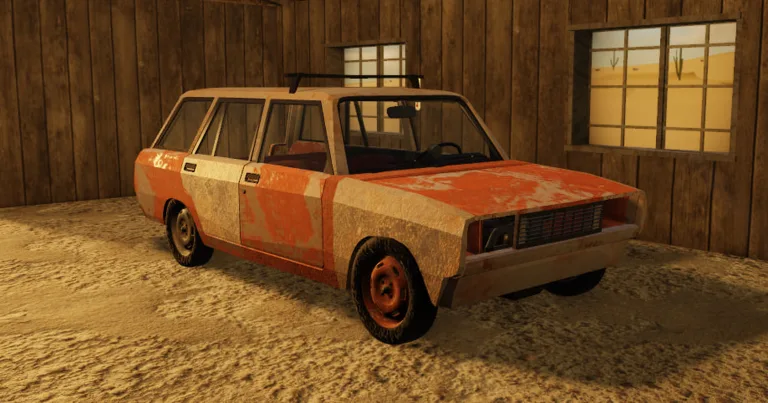
A desrt How to Insert a CD: Master Your Car Audio Guide
Discover how to insert a CD in A desrt on Roblox. Follow our step-by-step guide to setting up your car radio, finding discs, and upgrading your audio.
Published: A desrt Wiki Editorial Team
Table of Contents
Music makes every journey through the harsh landscapes of A desrt much more bearable, but many players find themselves struggling when they first try to figure out a desrt how to insert a cd. Whether you are cruising through the endless dunes or escaping from trouble, having your custom soundtrack playing through the vehicle's speakers transforms the experience.
Understanding a desrt how to insert a cd correctly is vital because the audio system isn't just a plug-and-play feature; it requires specific components and the right sequence of actions to function. In this guide, we will break down the exact process, from assembling your sound system to locating rare CDs hidden throughout the map.
Getting Started: The Anatomy of Your Car Audio System
Before you can worry about inserting a CD, you must ensure your vehicle is equipped to handle audio output. Many new players make the mistake of trying to force a disc into a radio that isn't connected to any speakers.
To get your car radio working, you must follow the correct hardware installation sequence. According to A desrt Official Roblox Page, the game relies on a modular system where every piece of equipment matters.
Necessary Components for Audio Installation
Component
Function
Status
Radio Panel
The core interface for media control
Required
Speakers
Necessary for outputting sound
Required
CD
The actual music source
Required
Sound Amplifier
Boosts volume levels (Optional)
Recommended
Tip
Component Order
Always attach the panel first, followed by the speaker, and finally the CD. If you try to power the system without the speaker unit, the audio will not be audible.
Step-by-Step: A desrt How to Insert a CD
Once you have your panel and speakers mounted, you are ready to address the core question: a desrt how to insert a cd properly. Follow these steps to ensure your music plays without issues.
Locate the CD: You can find an initial CD at your starter house, but for variety, you should scavenge random buildings in the desert.
Access the Radio Interface: Approach the mounted radio panel in your vehicle.
Insert the Media: Interact with the radio to open the slot and place the CD inside.
Power Up: Switch your car's power mode to ACC (Accessory mode).
Adjust Volume: Turn the volume knob up. Note that at 100% volume, some custom audio can be extremely loud.
Common Troubleshooting Steps
No sound? Check if your battery is drained. Electric engines and audio systems put a heavy load on standard batteries.
Music stops? Verify that you have enough power, or consider upgrading to a high-capacity battery like the "Ultra Power" model.
CD not registering? Ensure the CD is properly seated in the radio slot. Sometimes, moving the camera slightly helps trigger the interaction prompt.
Enhancing Your Experience: The Sound Amplifier
For players who want to turn their vehicle into a rolling concert, the sound amplifier is a game-changer. Community reports indicate that this item significantly increases the output volume of your car audio.
However, you should be aware of a few technical limitations. You cannot stack multiple sound amplifiers to create infinite volume. Based on community testing, the game's physics engine limits each vehicle to exactly one amplifier. Attempting to attach more than one will simply result in the second one failing to provide any benefit.
Amplifier Performance Data
Feature
Benefit
Note
Amplification
Significant volume boost
Very effective
Stacking
Limited to 1 unit
Don't waste resources
Placement
Under the subwoofer panel
Required for effect
Warning
High Volume Warning
Playing music at maximum volume with an amplifier is incredibly loud. Lower your system volume in the game settings or your PC mixer before engaging the audio to protect your hearing.
Finding Rare Music and Discs
The music variety in the game is one of the most beloved features. While the starter house provides a basic CD, the most interesting tracks are scattered throughout the world.
According to veteran players, specific buildings across the desert map contain unique CDs that offer different playlists than the default one. Exploring these buildings is the best way to keep your long-haul drives interesting. Keep an eye on tables and shelves, as that is where these items most frequently spawn.
The Relationship Between Audio and Vehicle Performance
One critical piece of advice for any serious player is to manage your power consumption. Using an electric engine while running a high-volume audio system with a sound amplifier is a recipe for a dead battery.
If you are running an electric engine, it is highly recommended to seek out a 100 amp-hour battery. Standard batteries will drain almost instantly when faced with the combined electrical load of an electric motor and a powerful sound system.
Power Consumption Comparison
Engine/System Type
Battery Drain Rate
Suitability
Standard Battery
Very High
Not Recommended
Ultra Power Battery
Moderate
Highly Recommended
Electric Engine
High
Needs constant power
FAQ: Frequently Asked Questions
Q: Is there a specific way to fix my audio if it won't play?
A: First, re-read our guide on a desrt how to insert a cd. Ensure the speaker is attached to the panel correctly. If the components are all present, check your battery status, as low power often prevents the radio from turning on.
Q: Can I play my own music files in A desrt?
A: Currently, the game relies on the in-game CDs found throughout the world. You must find these physical items to change the music; you cannot upload external files directly into the radio.
Q: Why does the music stop when I reach top speeds?
A: This is often tied to battery drainage. If your engine is demanding all the available power (especially an electric engine), your secondary systems like the radio will cut out first. Always carry a spare, high-capacity battery.
Q: Does the sound amplifier work on all vehicles?
A: Yes, as long as the vehicle has a compatible radio panel and speaker mounting point, you can add an amplifier to boost your audio.