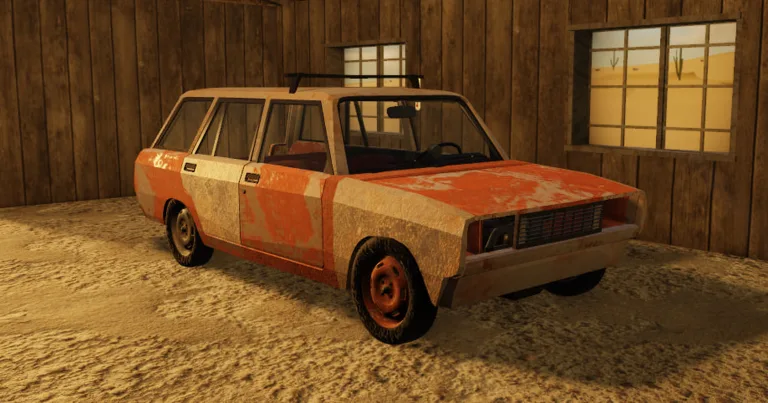
A Desrt Bike Not Starting After Adding Gas: Expert Fixes
Struggling with a desrt bike not starting after adding gas? Discover the correct refueling procedure and troubleshooting steps for DarkCodes studio's Roblox hit.
Published: A desrt Wiki Editorial Team
Table of Contents
Have you ever found yourself stranded in the vast, unforgiving landscape of A desrt on Roblox, only to realize your bike won't roar to life despite a full tank? Many players encounter the frustrating issue of a desrt bike not starting after adding gas, leading to confusion about the game's survival mechanics.
Understanding why your vehicle refuses to cooperate is essential for survival in this immersive sandbox experience. By mastering the specific maintenance requirements set by DarkCodes studio, you can ensure your transportation is always ready for your next desert expedition.
Understanding the Fueling Mechanics in A Desrt
In A desrt, realism plays a significant role in how you interact with your environment. Unlike many simplified arcade racers on Roblox, this title requires a specific sequence of actions to keep your motorcycle functional. If you simply pour fuel into the tank, you will often find that the engine remains silent.
The community has identified that the game engine requires a precise balance of fluids. Simply put, gas alone is not sufficient to power your bike; you must also manage the oil levels. If you ignore this secondary requirement, your bike will fail to ignite, regardless of how much fuel is in the tank.
The Essential Fluid Requirements
Fluid Type
Purpose
Minimum Requirement
Gasoline
Primary combustion fuel
> 0.5 Liters
Engine Oil
Lubrication and ignition
0.5 Liters
Step-by-Step Guide: How to Properly Refuel Your Bike
If you are currently dealing with a desrt bike not starting after adding gas, follow this proven sequence to get back on the road. According to community tutorials, the order of operations is just as important as the materials themselves.
Select Your Bike: Ensure you are interacting with your vehicle in the world menu.
Drain Excess Fuel: Tip the bike sideways to remove at least 0.5L of fuel. This "resets" the internal system state.
Access Oil Supplies: Navigate to the item list and select the required engine oil.
Mount the Bike: Place your motorcycle on its stand to ensure stability during the maintenance process.
Add Fluids: Carefully add 0.5L of oil, followed by the necessary amount of gas.
By following these steps, you satisfy the game's internal logic that requires a specific ratio of oil to gasoline before the ignition system will engage.
Tip
Refueling Best Practices
Always keep your bike on its stand while refueling. Attempting to add fluids while the bike is moving or leaning incorrectly may result in a glitch where the fuel is consumed but not registered by the bike's engine.
Troubleshooting Common Issues
Even when following the steps above, you might occasionally face issues. If you still encounter a desrt bike not starting after adding gas, consider these common pitfalls reported by players.
Common Maintenance Errors
Overfilling the Tank: Adding too much fuel can sometimes cause a mechanical error in the game's physics engine.
Incorrect Item Selection: Ensure you are using the specific "Oil" item and not a different liquid container.
Proximity Glitches: If you are too far from the bike, the item interaction might fail to trigger the state change.
If you find yourself stuck, try despawning and respawning the vehicle to clear any temporary data errors. You can find more updates and community support on the official A desrt Roblox page.
Why Maintenance Matters in A Desrt
In A desrt, your bike is your lifeline. The game’s design forces players to engage with the survival elements of the world rather than just focusing on exploration. When you face a desrt bike not starting after adding gas, it serves as a reminder that the environment is hostile and requires preparation.
Maintaining your bike isn't just about movement; it's about resource management. Every liter of gas and every drop of oil is a finite resource. Players who learn to maintain their vehicles efficiently will spend less time stranded and more time exploring the hidden secrets of the map.
Resource Efficiency Comparison
Action
Benefit
Cost
Regular Maintenance
Prevents engine failure
Low
Emergency Repair
Restores dead bike
High
Ignoring Oil Levels
Bike will not start
Infinite (Stuck)
Expert Tips for Desert Survival
To avoid future headaches, keep a stock of both oil and gasoline in your inventory at all times. Experienced players suggest creating a "maintenance kit" that you carry with you. This ensures that if you run out of fuel in the middle of a trip, you can perform a full service on the spot.
Furthermore, pay attention to the sound of your engine. A healthy engine has a distinct, consistent hum. If the sound begins to sputter or change pitch, it is an early warning sign that your fluids are running low. Addressing this before the bike dies completely is much easier than troubleshooting a total engine failure.
Frequently Asked Questions (FAQ)
Q: Why is my desrt bike not starting after adding gas?
A: Most often, this happens because you haven't added the required 0.5L of engine oil. The game requires both gas and oil to function. Ensure you drain a small amount of fuel first, then add the oil.
Q: Do I need a specific type of oil?
A: Yes, ensure you are using the specific oil item listed in your inventory. Using the wrong item will not satisfy the engine's requirements, and the bike will remain unresponsive.
Q: Is there a way to prevent the bike from dying?
A: Keep an eye on your fuel and oil gauges. Regularly topping off your fluids before they hit empty is the best way to ensure you are never caught with a bike that won't start in the middle of the desert.
Q: Can I repair the bike if I'm already stuck?
A: Yes, provided you have the necessary items. Simply follow the maintenance steps provided in this guide—tip the bike, add the oil, and then top up the gas. If you lack the items, you may need to walk to the nearest supply point.